For multilingual meetings · Free · No account needed
Meeting captions & live translation
Follow the conversation in your language with Perspective Relay. Read translated captions, listen to interpreted speech, and take a transcript away after the call.
Works beside Zoom, Google Meet and Microsoft Teams.
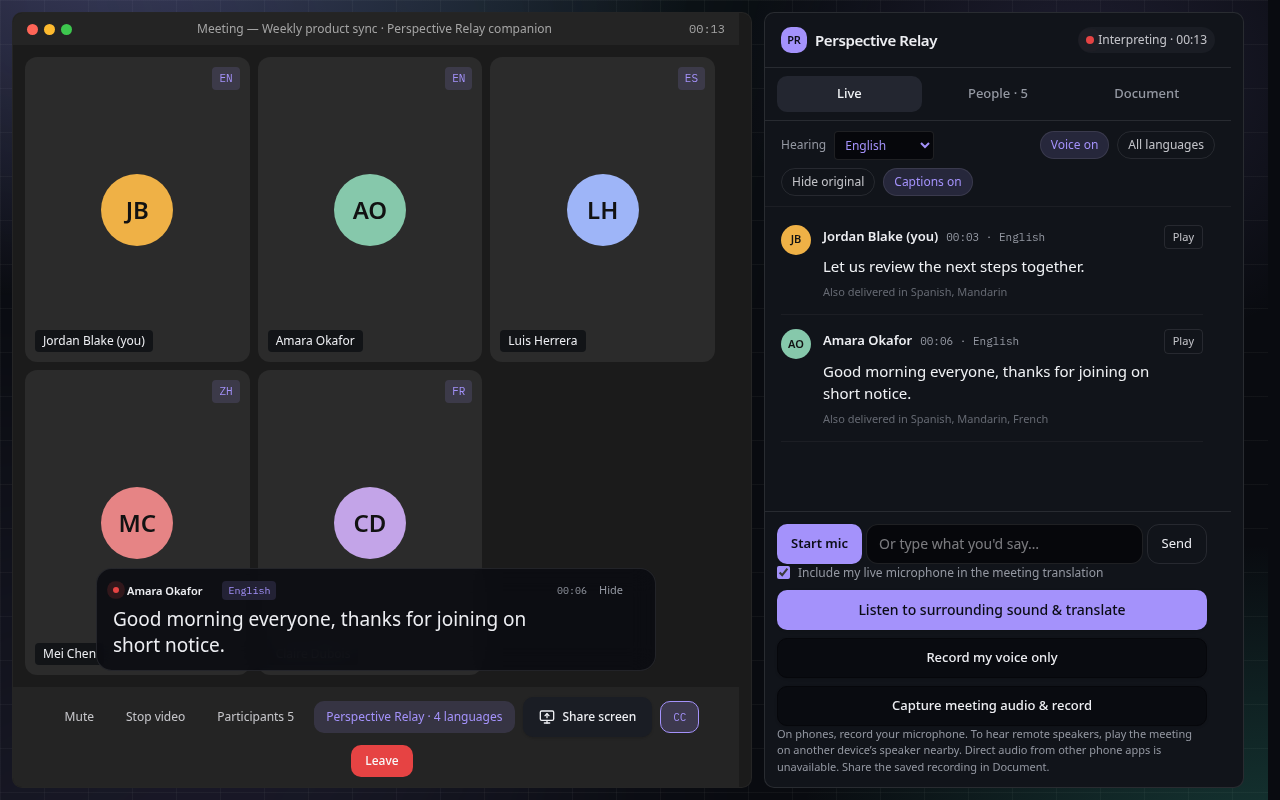
From spoken words to a shared understanding
Read meeting captions
Keep original and translated words in view, with an on-screen caption toggle during your session.
Listen in your language
Choose a listening language and interpreter voice. Translation depends on the speech and audio received.
Keep the conversation
Download a transcript in your preferred language. Prepare a summary or comprehensive report after the meeting.
Choose the audio source that works for you
A meeting link alone does not provide audio. Your meeting stays in its own app or tab; Perspective Relay translates the sound you choose to share.
On a computer
Use a supported browser to share a meeting tab with audio, or use your microphone. The browser will ask you to choose and approve the source.
On a phone
Use the microphone for speech or surrounding sound. Phone browsers cannot directly capture audio from the Zoom, Meet or Teams app. For remote speakers, a second device playing the meeting aloud is the supported option.
Let participants know before recording or transcribing. Captions and reports can contain mistakes; review important details.
Try your next conversation in another language
Choose a language in the app, then start with a demo or your meeting link. Audio sharing starts only when you approve it.